Norfolk based. Connecting the UK since 2000. · 01485 572253
VOIP SOLUTIONS
Business calls.
A friendlier setup.
A phone on the desk, a handset on the move and cloud calling that fits your business. Let’s make it easier for customers to reach the right person.

Start with how you answer the phone.
Perhaps calls arrive at the farmhouse while you are in the workshop. Perhaps several people need to answer the same number. Or you would simply like a clear, manageable business phone system.
We can plan Yealink phones with Yeastar cloud voice around your team, opening hours and broadband connection. We’ll explain the options without expecting you to become a telephone engineer.
We can plan Yealink phones with Yeastar cloud voice around your team, opening hours and broadband connection. We’ll explain the options without expecting you to become a telephone engineer.
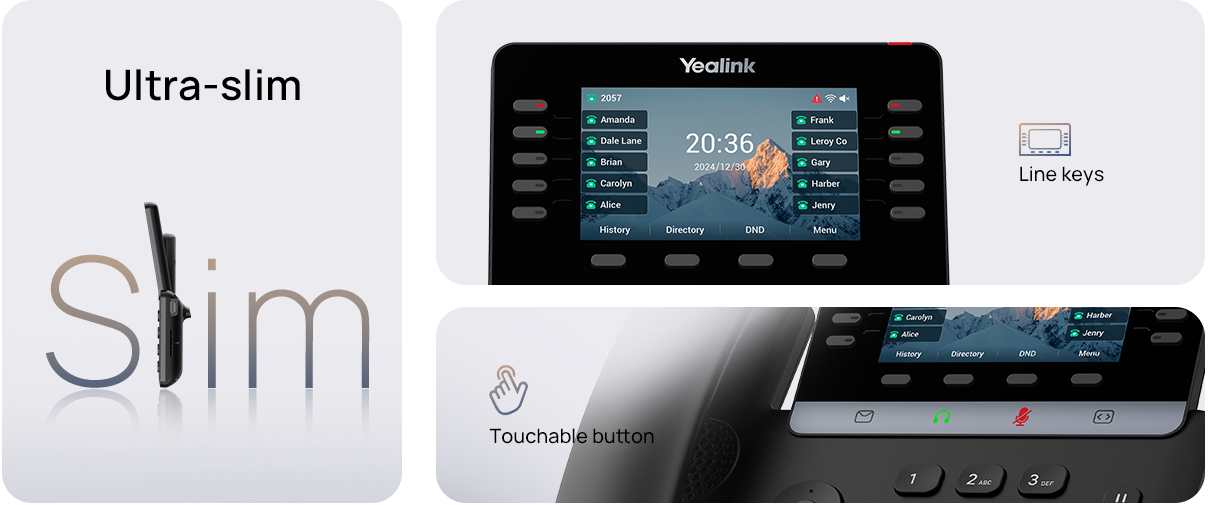
Yealink T74U: a familiar place to take calls.
A practical desk phone for an office, reception or counter. The T74U has a 4.3-inch colour display, HD audio and Gigabit Ethernet, with USB headset support.
It suits people who like a dedicated phone within reach. We’ll check the network connection, power arrangements and headset requirements as part of the setup.
It suits people who like a dedicated phone within reach. We’ll check the network connection, power arrangements and headset requirements as part of the setup.
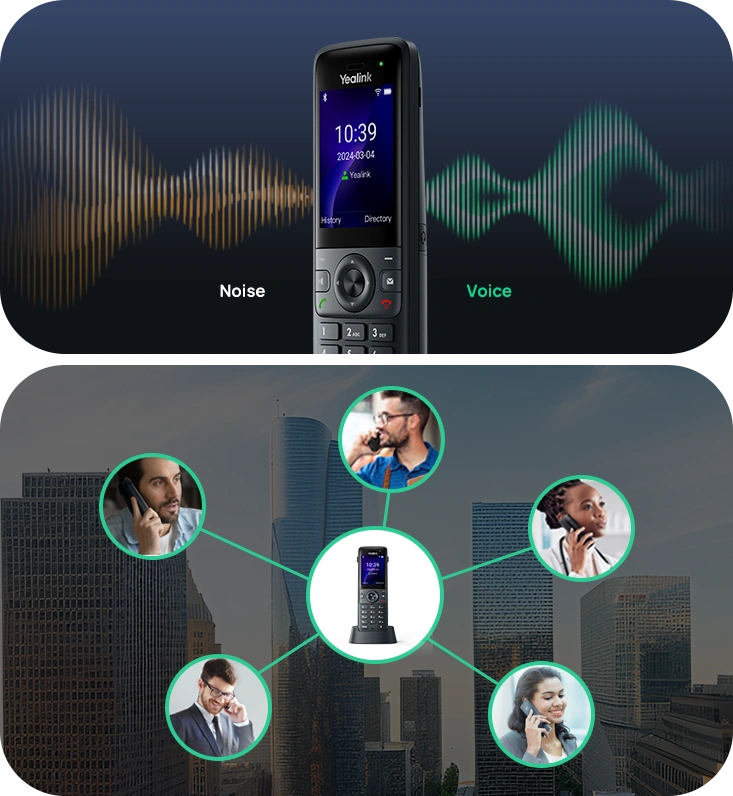
Yealink AX83H: take the conversation with you.
The AX83H is a business WiFi handset with dual-band WiFi 6 and HD audio. It is worth considering if you need to move around a suitable WiFi-covered workplace while taking calls.
Coverage is the key. We’ll look at the rooms and routes you use, the access points and roaming compatibility before recommending it for your property.
Coverage is the key. We’ll look at the rooms and routes you use, the access points and roaming compatibility before recommending it for your property.
Yeastar cloud voice: bring your business calls together.
A cloud PBX provides the phone-system functions behind your handsets. We can discuss call routing, ring groups, voicemail and opening-hours handling, together with Linkus applications where appropriate to the selected service.
Tell us how calls should be answered and where your team works. We’ll agree the users, numbers, features and licences in your quote, including any calling charges. Features vary by plan.
Tell us how calls should be answered and where your team works. We’ll agree the users, numbers, features and licences in your quote, including any calling charges. Features vary by plan.
Make the first hello easier
Discuss which phones should ring, who answers next and what happens when everyone is busy.
Work across more than one place
Explore suitable desk phones, WiFi handsets and applications for the way your team is organised.
Plan the move carefully
We’ll discuss number transfer, handsets, network readiness and the proposed changeover before you commit.
A few questions you might have
Can we keep our existing business number?
Often a number transfer can be considered, but availability needs to be checked. Tell us the number and current provider; do not cancel your existing service before the transfer arrangements are confirmed.
Will calls work during a power or broadband outage?
Internet calling depends on power and connectivity. We’ll discuss backup power, an alternative connection and call-diversion arrangements where appropriate, including your emergency-calling needs.
Can you improve the WiFi for the AX83H?
Yes, we can discuss the network as part of the proposal. Compatible Omada equipment may be suitable, with access-point placement planned around the property. Handset coverage and roaming need to be checked on site.
Let’s find what works for you.
Share your postcode and a little about your setup. We’ll talk through suitable options and prepare a tailored quote.
Voice & data SIMs · IoT & M2M
Privacy policy · Terms of use
Lifestyle images are illustrative. Products and services are selected to suit your location and requirements.
Privacy policy · Terms of use
Lifestyle images are illustrative. Products and services are selected to suit your location and requirements.